
Cross-site tracking is the practice of recognizing the same browser across many unrelated websites. A third party embedded on all of them, such as an ad script or a social button, reads a persistent identifier: a cookie, or a fingerprint derived from device characteristics. Separate visits then merge into one profile.
What is cross-site tracking?
The internet, in many ways, can be likened to a busy marketplace. As you traverse through its many alleys (websites), you leave behind digital footprints. These footprints form a pattern that tells a story about your likes, interests, and behavior online. Cross-site tracking is the practice of collecting and analyzing these footprints to understand this user story better.

Cross-site tracking is influential in providing personalized digital experiences, and it poses numerous questions about privacy and data security.
Cross-site tracking is the linking of a person's activity on one website to their activity on another, by a third party present on both. It differs from cross-domain tracking, where a single site owner follows a visitor across their own domains, and from first-party analytics, which never leaves one site.
That distinction does real work. Cross-domain tracking is a shop counting the same customer at two of its own branches. Cross-site tracking is a stranger standing in every shop on the street, comparing notes.
One thing it is not: a website remembering you. Your login, your dark-mode setting and your basket all run on that site's own first-party storage.
How cross-site tracking works
Cross-site tracking functions through a variety of tools, but most predominantly through cookies, scripts and tracking pixels embedded in web pages.

Cookies are small files stored on your browser when you visit a website. Think of them like a digital ID card that tells the website, "Hey, it's me again!" The next time you visit, the site recalls your preferences and actions from your last visit, making your browsing experience easier and more personalized. There are two main types:
- First-Party Cookies: These are directly stored by the website you visit. They remember your settings and preferences.
- Third-Party Cookies: These are stored by external entities, often advertisers, while you browse a site, essentially leaving a trail of your browsing activity across various websites.
The only technical difference is which domain set the cookie. MDN's reference on third-party cookies also covers SameSite, the attribute that decides whether a cookie may travel cross-site at all.
Scripts involve embedding a piece of code, often called a tracking script, in a website's source code. This script activates every time someone visits, sending information back to a server. It's like a detective tailing you, noting down every store you visit and item you examine in the marketplace.
Tracking pixels are the quiet third mechanism: a one-by-one image loaded from the tracker's domain. Loading it is enough. The request carries your IP address, the page you're on, and any cookie the tracker already holds. No JavaScript needed, which is why pixels still work in email.
These tools extensively serve marketing and targeted advertising purposes. They allow businesses to segment users based on their online behaviors and preferences, paving the way for intrinsically personalized experiences. When ads reflect your interests, the chances of clicking, engaging, and ultimately purchasing increase manifold.
Cross-site tracking is also used for analytics, website optimization, and personalization of user experiences. It helps businesses understand how visitors interact with their websites, what content holds appeal, and where improvements may be needed. The goal remains to construct as concise a user profile as possible, leading to higher user satisfaction and ultimately, business success.
Cookies remain the workhorse. The Web Almanac's cookies chapter reports that around 60% of all cookies on the web are third-party, nearly all set with SameSite=None so they can travel cross-site, and only about 9% using the Partitioned attribute that confines them to one top-level site.
| First-Party Cookies | Third-Party Cookies | |
|---|---|---|
| Stored by | The website you visit | Third-party entities |
| Main Use | Site functionality and user preferences | Tracking user activity across sites |
| Privacy | Considered less intrusive | Viewed as an invasion of privacy; blocked by Safari, partitioned by Firefox, still allowed by default in Chrome and Edge |
| Benefits | Can lead to personalized user experience | Enable targeted advertising |
Cross-site tracking beyond cookies
Cookies get the attention because they are the one part a browser setting can switch off. Most of the mechanisms below work with third-party cookies fully blocked.
I've spent a decade building front-end code, and this is the part people underestimate: a script you embed runs in the same JavaScript context as your own code, with the same access to the same browser APIs.
Browser fingerprinting
Fingerprinting builds an identifier from what your browser already reveals: how it renders text on a canvas, its WebGL and Web Audio output, installed fonts, screen and window geometry, time zone, language. Combined, those are often distinctive enough to single out one device. The difference that matters: there is nothing on the device to delete. A fingerprint is recomputed on every visit, so clearing your storage doesn't clear it.
Be careful how alarmed to be, though. The Web Almanac found FingerprintJS, the most widely deployed library of its kind, on just 0.59% of mobile websites. Dedicated fingerprinting is still rare; the concern is the direction of travel, and the policy change in the next section.
Your IP address
Every request carries an IP address. It's imperfect, since it changes with your network and households share one, but it's a cross-site signal needing no storage, no script and no dialog. It's also getting more load-bearing: Google Analytics documentation on updates to data controls states that "IP addresses that are automatically collected by the Google Tag and SDK will be encrypted and flow to your linked Google Ads account," governed there by Ads settings rather than Analytics settings.
Cookie syncing and respawning
Cookie syncing is how two ad-tech vendors agree their separate IDs belong to the same browser: vendor A loads a pixel from vendor B, passing its ID in the URL. Blocking one tracker isn't enough, because its neighbours already know you. Cookie respawning rebuilds a deleted identifier from localStorage, IndexedDB or a cached file.
Link decoration, bounce tracking and CNAME cloaking
These three defeat cookie blocking by not being third-party.
- Link decoration carries the identifier in the URL. Click IDs like
gclidandfbclidare the obvious examples, and nothing is read from storage. - Bounce tracking routes your click through the tracker's own domain for a fraction of a second. For that moment it is a first-party site, and can set a first-party cookie.
- CNAME cloaking points a subdomain of the site you're visiting at the tracker's servers, so your browser treats
metrics.example.comcookies as first-party. In DNS terms, they are.
Server-side tagging
The site collects the data itself, then forwards it to the tracker from its own servers. Your browser never contacts a known tracker endpoint, so blocklists have nothing to match. A 2026 study of server-side Google Analytics, SST-Guard, found it on 4.21% of the Tranco top 150,000 sites and concluded that "existing tracking protections that block requests to known tracker endpoints are rendered ineffective."
| Mechanism | What it uses | Stopped by blocking third-party cookies? |
|---|---|---|
| Third-party cookie | A cookie set by a domain other than the one in your address bar | Yes |
| Cookie syncing | Two vendors matching IDs for the same browser | Yes, if both are blocked |
| Cookie respawning | localStorage, IndexedDB or a cached file that rebuilds a deleted ID | No |
| Browser fingerprinting | Canvas, WebGL, audio, fonts, screen size, time zone | No |
| IP address | The network address every request carries | No |
| Link decoration | Click IDs such as gclid and fbclid in the URL |
No |
| Bounce tracking | A redirect through the tracker's own domain | No |
| CNAME cloaking | A site subdomain that resolves to the tracker | No |
| Server-side tagging | Data forwarded from the site's own server | No |
Third-party cookies didn't go away — what actually happened
Almost every guide written between 2020 and 2024 said third-party cookies were about to disappear. They didn't. Chrome still allows them by default, and Chrome is most of the web. The sequence, from primary sources:
- March 2020 — Safari 13.1 and iOS/iPadOS 13.4 ship full third-party cookie blocking by default. Apple's WebKit team put it plainly: "Cookies for cross-site resources are now blocked by default across the board."
- June 2022 — Mozilla makes Total Cookie Protection the default for Firefox desktop users worldwide, giving every site its own cookie jar.
- 22 July 2024 — Google says it will not deprecate third-party cookies in Chrome, proposing instead "a new experience in Chrome that lets people make an informed choice". Be precise here: a proposal pending regulator discussion, not a shipped change.
- 16 February 2025 — Google's ads platform policies update takes effect, described by Google as "less prescriptive with partners in how they target and measure ads." It dropped the prohibition on fingerprinting, which the UK's ICO, responding in December 2024, called "irresponsible".
- 22 April 2025 — Google confirms it "will not be rolling out a new standalone prompt for third-party cookies". The prompt had never launched, so this cancelled something that never existed.
- 17 October 2025 — Google retires ten Privacy Sandbox technologies, including IP Protection and Topics (which did ship in Chrome before being pulled). CHIPS, FedCM and Private State Tokens survive. The same day the UK's Competition and Markets Authority released Google from its commitments, noting Google "restated its intention not to deprecate third-party cookies."
My reading: the useful story isn't that the industry was wrong about cookies. It's that cookies stayed and the alternatives arrived anyway. A tracker that spent four years preparing for a cookieless web now has the cookie and the fingerprint, the IP address and the server-side pipeline. We asked a panel of practitioners where analytics is heading before most of this landed, and the direction they described has held up better than the cookie timeline did.
Which browsers actually block cross-site tracking
Not many, and probably not yours. According to StatCounter Global Stats for July 2026, Chrome holds 68.22% of the worldwide browser market, Safari 16.47%, Edge 5.37% and Firefox 3.34%.
Only Safari and Firefox act by default, and they act differently. Safari blocks. Firefox partitions: the cookie is still set, but confined to a separate jar for the site you're on, so the same tracker on two sites can't join the visits.
Edge is the one people get wrong. It ships tracking prevention on "Balanced", which is genuine protection against several tracker categories, but it does not block third-party cookies outright and does not block the Analytics category at all. Grouping Edge with Safari and Firefox is the most common error in writing on this topic.
What cross-site tracking means for you
Cross-site tracking significantly shapes our user experiences online, often behind the scenes, unnoticed, yet consistently operative.
Benefits From a User Perspective
First, a correction most explainers get wrong, including an earlier version of this one. Remembering your language preferences on a website, or keeping your shopping cart at an e-commerce store intact over multiple sessions, is the work of first-party cookies set by that site. No cross-site tracking involved, and blocking it changes neither.
What cross-site tracking adds is recognition across sites you never connected yourself. That is the bedrock of content recommendations, targeted advertising, and dynamic pricing, all aimed at user engagement.

Let's consider an example. You're a fitness enthusiast who visits various health and workout websites. Cross-site tracking enables these sites to recognize your interest in fitness and suggest content that aligns with this interest. Consequently, you get tailored fitness content, making your internet browsing experience more relevant and satisfying.
Drawbacks From a User Perspective
Conversely, the all-seeing nature of cross-site tracking flips the coin, spotlighting privacy and security concerns. The thought that your digital footsteps echo across the web, collected and analyzed, can be discomforting for many users. And hyper-personalization can sometimes tip over to the point of feeling intrusive.
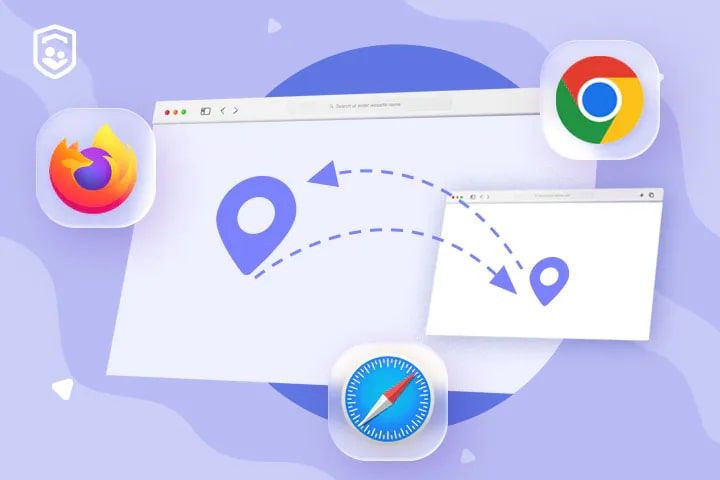
As with all experiences, too many ads can quickly become bothersome and disruptive, substantially diluting the positive aspect of personalization. In some instances, users may experience what's termed "retargeting fatigue," where the same ads continually stalk them, leading to irritation and potential alienation.
Cross-site tracking also enables price discrimination. Businesses may change product or service prices based on perceived user interest or spending capacity, leading to a lack of price transparency.
It's clear that the impact of cross-site tracking on user experience is double-sided, providing elements of personalization and convenience while simultaneously posing potential threats to user privacy and security.
Cross-Site Tracking and Privacy Concerns
As our digital lives expand, so do the concerns about privacy and how much of our personal information is open for collection, analysis, and potential misuse. The significant function that cross-site tracking performs in this digital ecosystem makes it a focal point for these concerns.

User privacy concerns around cross-site tracking primarily stem from the extent and depth of personal data collection. From browsing habits, purchase history, location data, to even sometimes sensitive information like financial or health data, the trail left behind paints a detailed, and often eerily precise, profile.
While for the most part, the data is used to serve ads or personalize content, the concern lies in whether this data might be misused or fall into the wrong hands. A data breach from an advertiser or third-party entity can lead to unauthorized individuals gaining access to this wealth of information, potentially leading to fraud, identity theft, or other forms of cyber crime.
The issue here isn't just the possibility of nefarious activities, but also the lack of transparency and control. Many users are not aware of the extent of tracking, how the collected data is used, who it's shared with, and how to limit or stop this tracking.
Should you turn on "Prevent Cross-Site Tracking"?
Yes. For almost everyone, leave it on and switch it on where it isn't already. Safari and Firefox protect you by default; in Chrome and Edge you have to set it yourself.
What you actually trade away:
- A few embedded logins break. Third-party single sign-on and "log in with…" buttons inside an iframe need a cookie readable in a third-party context.
- Some embedded checkouts misbehave, especially older ones holding session state in a third-party cookie.
- Iframed dashboards and support widgets may forget you between page loads.
- Ads get less relevant. For most people that's the point, not the cost.
What you don't lose: logins on ordinary sites, saved preferences, shopping carts. Those run on first-party storage, which none of these settings touch.
How to stop cross-site tracking in every browser
Safari and Firefox protect you by default. Chrome and Edge need a manual change.
Adjusting Browser Settings
Most modern browsers allow users to limit or block third-party cookies, the primary tools for cross-site tracking. The setting names have changed several times, so here, we provide a brief guide on disabling cross-site tracking on popular web browsers:
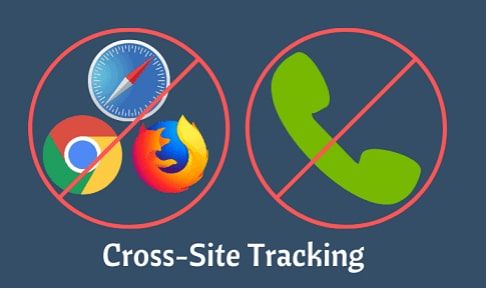
| Browser | Setting | Where it lives | Default | What it does |
|---|---|---|---|---|
| Safari (Mac) | Prevent cross-site tracking | Safari > Settings > Privacy | On | Deletes a third party's cookies and website data unless you visit and interact with them as a first-party website |
| Safari (iPhone, iPad) | Prevent Cross-Site Tracking | Settings > Apps > Safari | On | Same behaviour as the Mac setting |
| Safari 17+ (Mac) | Use advanced tracking and fingerprinting protection | Safari > Settings > Advanced | On in Private Browsing | Adds noise to canvas, WebGL, Web Audio and screen geometry readings; can be set to all browsing |
| Chrome | Block third-party cookies | Settings > Privacy and security > Third-party cookies | Incognito only | Blocks cookies set by domains other than the one in the address bar. No default fingerprinting protection. |
| Firefox | Enhanced Tracking Protection: Standard / Strict / Custom | Settings > Privacy & Security | Standard | Standard partitions every cookie into a per-site jar. Strict also blocks cross-site cookies and enables Bounce Tracking Protection. |
| Edge | Tracking prevention: Basic / Balanced / Strict | Settings > Privacy, search, and services | Balanced | Blocks storage for Advertising, Content, Social, Other, Cryptomining and Fingerprinting trackers. Does not block the Analytics category or third-party cookies generally. |
Primary sources per row: Apple on preventing cross-site tracking in Safari, Google on Chrome cookie settings, Mozilla on Enhanced Tracking Protection and Total Cookie Protection, Microsoft on Edge tracking prevention.
Two non-fixes worth naming: Do Not Track sends a request sites are free to ignore, and blocking all cookies breaks ordinary logins while doing nothing about fingerprinting. Safari's separate Hide IP address control is the one extra worth turning on, since it reaches a signal no cookie setting does.
Remember to review these settings regularly, as upgrades or changes to the browser can sometimes reset them to default settings.
How to turn cross-site tracking back on
Occasionally you need the opposite, and almost nobody writes this part down. The legitimate reasons are narrow: a corporate SSO handoff, an embedded checkout, a "log in with" button inside an iframe, or an iframed dashboard that keeps signing you out.
- Try a per-site exception first. In Firefox it's the shield icon in the address bar; in Chrome, the icon that appears when a cookie is blocked; in Edge, the Exceptions list under Tracking prevention.
- Only then loosen the global setting — untick Prevent cross-site tracking in Safari, or switch Chrome back to allowing third-party cookies.
- Turn it back on afterwards. An exception that outlives its reason is a permanently weaker browser.
If a site asks you to disable tracking protection entirely just to sign in, that's worth a second look. A well-built login flow shouldn't need it.
Does blocking actually work? The honest limits
Partly. Given the privacy-related concerns surrounding cross-site tracking, it's essential to know that there are measures available to mitigate or even prevent this kind of data collection. Various strategies can help users shield their online activities, including adjusting browser settings, installing privacy-focused browser extensions, and using services such as Virtual Private Networks (VPNs). It's equally important to know where each one stops.
Privacy-Focused Browser Extensions
Browser extensions add another layer of protection. Privacy tools such as Privacy Badger, Ghostery, or uBlock Origin work by identifying and blocking tracking cookies and scripts. They can be installed on most browsers and are simple to use.
| Extension | Key Features | Pros | Cons | Price |
|---|---|---|---|---|
| Privacy Badger | Blocks spying ads and invisible trackers | Learns to block new trackers over time | May break some websites | Free |
| Ghostery | Blocks trackers, speeds up websites, provides tracker dashboard | Highly customizable, detailed tracker information | Can collect pseudonymous data if opted-in | Free (Premium Version Available) |
| uBlock Origin | Versatile blocker for ads, trackers and malware sites | Low CPU use, can use multiple filter lists | Slightly more complex UI | Free |
Two 2026 caveats. Chrome's move to Manifest V3 means the full uBlock Origin no longer runs there; uBlock Origin Lite is the Chrome-compatible version, and the full extension still runs in Firefox. And extensions match requests against lists of known trackers, which is exactly what server-side tagging and CNAME cloaking are built to defeat.
Virtual Private Networks (VPNs)
A VPN masks your IP address by routing traffic through an intermediate server. That removes one signal, and it's useful if hiding your network location is what you need. It touches nothing else: your cookies travel with you because they live in the browser, not on the network, and your fingerprint is unchanged. A tracker that identified you before you connected will identify you after.

However, free VPNs often limit data usage or sell user data to advertisers, so opt for a reputable, paid VPN service. Just pick one for what it actually does.
Incognito, Clearing Cookies, and Going Further
Private windows discard cookies and site data on close, and Chrome blocks third-party cookies inside Incognito by default. Within one session, though, a tracker on several sites can still connect those visits, and your IP address and fingerprint are identical to a normal window. Clearing cookies has the same shape of limit: it resets stored identifiers and does nothing about respawning, fingerprinting or server-side collection. If you want more than the defaults, the next tier is a browser built for it: Brave, Mullvad Browser, LibreWolf, or Tor.
These techniques, combined, place formidable barriers between you and potential trackers. However, no solution can guarantee a 100% rate of blocking or preventing cross-site tracking, as tracking technologies continuously evolve. But by taking these steps, you improve your privacy stance greatly and make tracking your online behavior significantly more challenging.
Is cross-site tracking legal?
Yes, with conditions that differ sharply by jurisdiction. One primary aspect that businesses need to consider carefully is complying with various privacy laws that come into force, such as the General Data Protection Regulation (GDPR) in the European Union or California's Consumer Privacy Act (CCPA) in the United States. Treating those two as the same duty is the most common error in writing on this topic. Europe is opt-in; California is opt-out.
GDPR and ePrivacy: opt-in
In the EU and UK, the ePrivacy Directive governs storing or reading information on a device, and the GDPR governs the resulting personal data. In practice: consent before you set non-essential cookies, freely given and as easy to withdraw as to grant.
Enforcement is current. On 3 September 2025 France's CNIL fined Google €325 million and Shein €150 million over cookie practices, in Shein's case for dropping advertising cookies the moment a visitor arrived, before they had touched the banner. These are consent decisions under the French implementation of the ePrivacy Directive. They do not make analytics illegal.
CCPA and CPRA: opt-out
California runs the other way. You may collect and share, and the consumer has the right to tell you to stop, which is why Californian sites carry a "Do Not Sell or Share My Personal Information" link rather than a consent wall. Businesses must also honour Global Privacy Control, a browser-level signal that communicates that opt-out automatically.
In February 2026 the California Attorney General reached a $2.75 million settlement with Disney, the largest CCPA settlement to date, reported by the IAPP, partly because opt-out signals were honoured only on the device that sent them. The failure was not effectuating an opt-out across devices and services, not a rule that GPC is universally mandatory. We've mapped the wider differences in our guide to GDPR, CCPA and PECR.
Consent banners are also weaker than they look. Across 254,148 observations of the top 10,000 sites in 31 countries, researchers found 67% showed a consent interface but only 15% were minimally compliant, mostly for lack of a reject option, while a separate study of 11,364 websites tracked the "reject all" button rising from 2.94% of sites in 2018 to 30.66% in 2024.
A note on scope: TinyAnalytics is designed to support privacy-friendly analytics. Your consent and compliance obligations still depend on your jurisdiction, configuration, and the data you choose to send. Our privacy policy describes what we do with data better than any summary of the law.
What site owners should do instead
Notwithstanding its implications, cross-site tracking remains a valuable tool for businesses when used responsibly and legally. But the premise most articles build on is now wrong: third-party cookies are not on their way out, so nobody is being forced to change. What changed is that the alternatives arrived anyway, regulators are active, and about a fifth of your visitors already arrive in a browser that blocks or partitions cross-site cookies.
Keeping user trust at the forefront, businesses can adopt a multitude of strategies and solutions to manage consent, be transparent with users, adhere to regulations, and provide a safe environment for user data.
Staying Compliant With Cross-Site Tracking
These regulations underline a few essential conditions:
- Informed Consent: Before engaging in cross-site tracking, businesses must obtain explicit and informed consent from users.
- Transparency: Businesses should be transparent in their communication regarding what data they collect, who it is shared with, and how it is used to improve site functionality or deliver ads.
- Data Security: Adequate measures should be in place to fulfill the obligation of protecting any collected user data from breaches.
With these privacy laws in mind, navigating the world of cross-site tracking may seem like a daunting challenge for businesses. However, there are many tools available that make the task manageable.
Tools for Managing Consent
For instance, Google Consent Mode allows businesses to manage consent given through Google Ads and Analytics, following the rules of GDPR. This tool helps control the tags associated with these applications based on consent from users.

Similarly, automated tools for cookie management can help manage consent for businesses operating across multiple countries with different privacy laws. These tools typically provide features like:
- Automated scans to identify and categorize cookies and trackers
- Generation of customizable cookie banners to collect user consent
- Logging and proof of consents for auditing purposes
- Tools to manage user consent preferences
- Support for multiple languages and compliance with legislation in different countries.
By using them, a company can ensure better compliance with various regulations, provide transparency, and above all, maintain trust with its user base.
Measurement Without a Cross-Site Identifier
There's a second option consent tooling can't offer, because it removes the thing being consented to. If your analytics never creates an identifier readable across unrelated sites, there is no cross-site profile to disclose, govern or defend.
That's the decision we made building TinyAnalytics, and here is the mechanism rather than the marketing. No cookies. No raw IP storage. No cross-site profile. Visitor identity is derived server-side as a one-way value, so nothing is written to the visitor's device for measurement. Feature flags are the exception: they keep a persistent browser ID so a visitor stays on the same variant. That is for sticky assignment, not a cross-site profile, but browser storage can still affect a consent analysis. The tracking script is under 6.5 KB gzipped, which matters here beyond speed: a smaller surface reads less.
The cost is real, and I'd rather state it than bury it. Cookieless visitor counts are useful estimates, not exact counts. People on the same network and browser can merge; one person changing networks or browsers can split. identify() gives signed-in products stable cross-device identity.
For the mechanism in depth, we've written up cookieless tracking and how cookieless tracking works separately, our trust center documents the data handling behind these claims, and you can see what TinyAnalytics measures or compare the field of privacy-friendly analytics tools first. If you're already running something else and want the practical version, plan your migration covers what moves across and what doesn't.
Once you get past the jargon, you realize that the mechanisms of cross-site tracking aren't as daunting as they seem. In essence, they are tools that, when used judiciously, can create beneficial experiences for both users and businesses. However, their misuse can lead to a breach of trust and privacy. The quest here is to derive meaningful insights, improve services, empower businesses, all while safeguarding user privacy.
For users, understanding cross-site tracking is not an esoteric, distant concept- it's increasingly integral to how we experience the internet. The more aware you are, the better equipped you become in managing your data trail and maintaining your privacy online.
Given the avid concern around online privacy and the shifting legal and technical ground, businesses can no longer afford to turn a blind eye towards the implications of cross-site tracking. They must earnestly pursue transparency, ensure they have informed consent from users, and prioritise the adoption of privacy-focused practices and tools. Striking this balance is not just about compliance- it's about building a relationship of trust with your users.
Businesses and users alike find themselves in new territory. The future of cross-site tracking lies in solutions that strike a balance between offering personalized user experiences and maintaining strong privacy standards. We stand on the precipice of a new era in digital privacy. By championing transparency, privacy-focused practices, user autonomy, and informed consent, we can be ready for a time where businesses can thrive and still respect the privacy expectations of the modern internet user.
Ready to measure without following anyone around the web? Start free, or Explore the docs to see how the script works before you install it. Free should mean using the real product, not looking at a locked dashboard — why we build it this way explains the thinking.
Frequently Asked Questions
In this FAQ section, we will address some of the most commonly asked questions about cross-site tracking and provide concise and informative answers.
What is cross-site tracking?
Cross-site tracking is a practice that collects data about a user's online activity across different websites. Businesses use this data to understand user behavior, improve services, and deliver personalized ads. The defining feature is that one third party sits on all those sites and recognizes the same browser on each.
How does cross-site tracking work?
Cross-site tracking primarily uses cookies and scripts. When you visit a website, a cookie (small text file with a unique ID) is stored on your browser. As you browse different sites, third-party cookies track this activity and send information back to the original source. Scripts embedded in websites perform a similar function. Where cookies are blocked, trackers fall back on fingerprinting, IP addresses, click IDs in the URL, or server-side collection.
Should cross-site tracking be on or off?
Prevention should be on. You lose some ad relevance and occasionally an embedded login; you stop unrelated companies joining up your browsing. If a specific site breaks, add an exception for that site rather than turning protection off everywhere.
What does "Prevent Cross-Site Tracking" mean on iPhone?
It's the same feature as on a Mac, under Settings > Apps > Safari, and it's on by default. A third party's cookies and website data are deleted unless you visit and interact with that third party as a first-party website. It doesn't block ads and doesn't affect logins on ordinary sites.
Does preventing cross-site tracking break websites?
Rarely, and predictably. The flows most likely to break are third-party single sign-on, "log in with" buttons inside an iframe, embedded checkouts holding state in a third-party cookie, and iframed dashboards. Ordinary logins, saved preferences and carts use first-party storage and are unaffected.
What is the difference between cross-site tracking and cross-domain tracking?
Cross-domain tracking is one site owner following a visitor across domains they control, so a single journey isn't counted as two visits. Cross-site tracking is a third party following someone across sites owned by unrelated companies. Same technique, very different consent implications.
Is cross-site tracking legal?
Yes, cross-site tracking is legal. However, businesses must adhere to various data protection laws such as the General Data Protection Regulation (GDPR) in the EU. For instance, they need to provide transparent information about their data collection practices and acquire explicit user consent. California takes the opposite approach: the CCPA and CPRA give consumers a right to opt out, backed by Global Privacy Control, rather than requiring opt-in first.
How can I prevent cross-site tracking?
You can block or limit cookies, install privacy-focused browser extensions, or browse in incognito mode to prevent cross-site tracking. Start with the setting your browser already has: Prevent cross-site tracking in Safari, Enhanced Tracking Protection in Firefox, Block third-party cookies in Chrome, Tracking prevention in Edge. Note that while these measures can reduce tracking, they cannot eliminate it entirely.
Does a VPN stop cross-site tracking?
No. A VPN changes the IP address a site sees, which is one of three signals a tracker can use. Your cookies still travel with you and your fingerprint is unchanged, so a tracker that identified you before will identify you after. Use a VPN for network privacy, not for this.
Are third-party cookies going away?
No. Google said in July 2024 it would not deprecate them in Chrome, and in April 2025 confirmed it would not ship the replacement choice prompt either. Safari has blocked them since 2020 and Firefox partitions them, but Chrome and Edge still allow them, which covers most browsing.
What are the main concerns about cross-site tracking?
The main concerns revolve around privacy and the extent of data collection. Users often aren't aware of the tracking, how the data is used, and how to limit or stop it. Excessive tracking can make users feel their privacy is being invaded. Data breaches could lead to unauthorized individuals gaining access to personal information.
How are businesses reacting now that third-party cookies are staying?
Roughly a fifth of browsing already happens where cross-site cookies are blocked or partitioned, and regulators are enforcing consent rules, so a cross-site identifier is a business risk whether or not Chrome removes one. Businesses are exploring other methods for measuring user behavior. These include first-party data, pseudonymous data, aggregates, machine learning models, and privacy-focused analytics solutions.